How to Block Youtube Videos that are not-not from children
Inappropriate YouTube video blocks are an important step in protecting children from negative and immoral content.
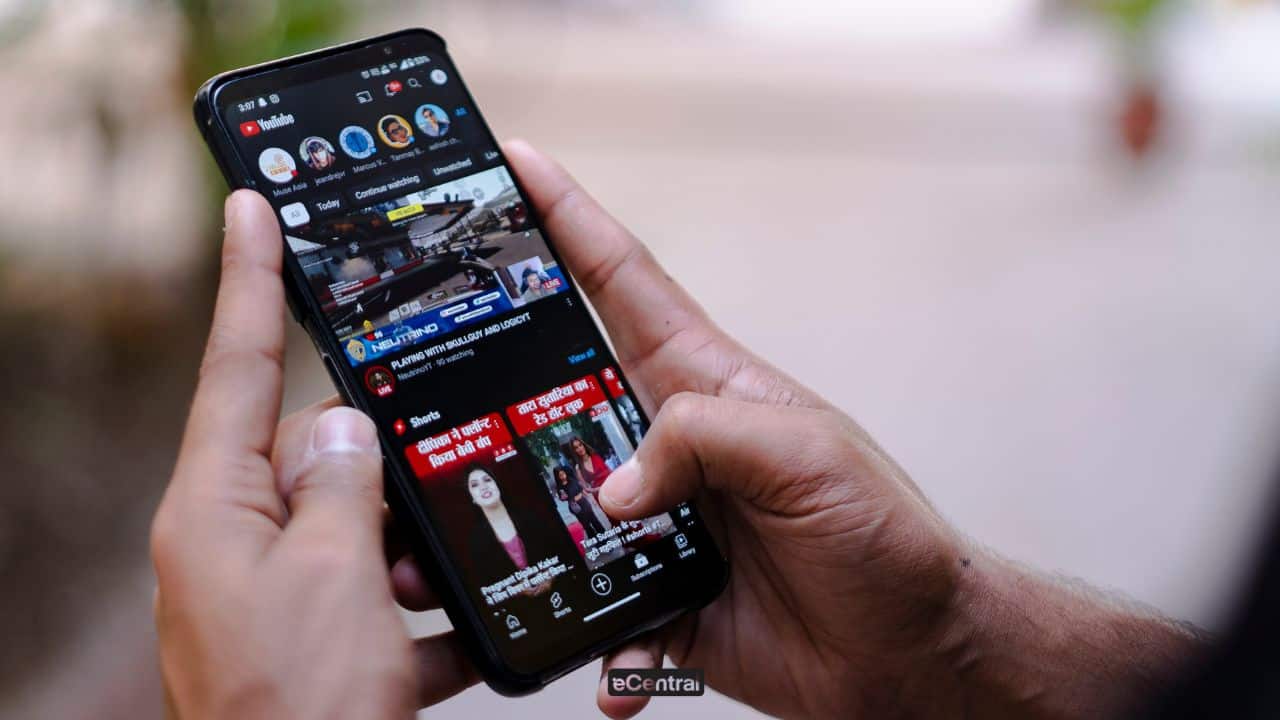
Although YouTube offers a variety of learning and entertainment videos, it also contains content that is not suitable for children’s views. Without proper supervision and filtering, children can be exposed to inappropriate videos.
In this article, we will show you an easy way to block nonsense, so that parents can be calmer when their children watch online.
Also read: Tung Tung Tung Sahur Dear Brain Phenomena for Children
The correct YouTube video block method
This is the right way to block YouTube videos safely:
1. Download YouTube Kids
The most safe way for children to watch videos on YouTube is through the YouTube Kids application.
Through Youtube Kids, users can not only access animated content such as Boboiboy and Didi & Friends, but can also access information content such as National Geographic Kids, and more.
This application divides content into several categories such as plans, music, learning and exploration, suitable for various ages.
In addition, parents can set a time limit, limit the search, and choose content based on their children’s age, both preschool, primary or larger.
YouTube Kids’s main advantages:
- ✅ Enhanced content and manuals automatically to get rid of inappropriate videos
- ✅ Parent Control Features (parent control)
- ✅ Visual Design and Child Friendly Audio
- ✅ The option to turn off the search function so that children can only watch the approved content
- ✅ Can create a separate profile for each child
2. Through Google Chrome
If you want to block YouTube videos directly from your computer or laptop using the Google Chrome browser, you can use an extension video blocker.
This method is ideal for parents who want to filter content manually and direct inappropriate channels.
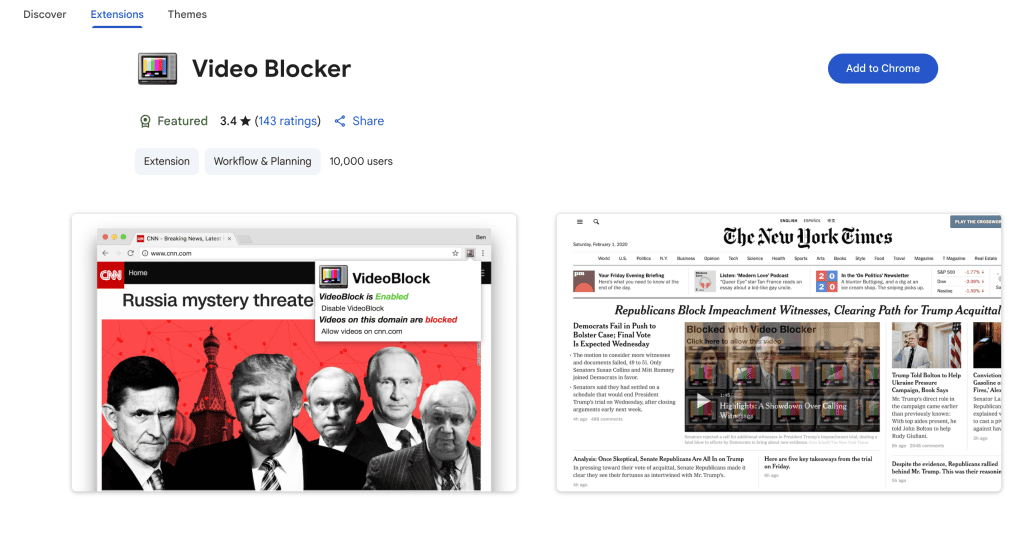
- Open the Google Chrome browser on your computer or laptop.
- Look for “video blockers” on Google or continue on the Chrome Web Store.
- Click the first option in the list and press the “Add to Chrome” button to install the extension to your browser.
- Once installed, go to the YouTube page and search for the video keywords that you want to do the bulkhead.
- When the video list appears, right -click on the video title, then select “Block Video from this Channel”.
- All videos from the channel will be blocked automatically.
- To block channels manually, click the video blocker icon on the top right of Chrome.
- Click the “Add” button, enter the name of the channel (can be seen below the video title), and press the “+” symbol.
Use these steps repeatedly for each channel you want to block, so that children are no longer exposed to inappropriate content on YouTube.
3. Activate Restricted Mode
Limited mode or limited mode is the features on Youtube that helps filter sensitive content, violence, or not suitable for children.
It is suitable for parents, teachers or guardians to protect children from unwanted views.
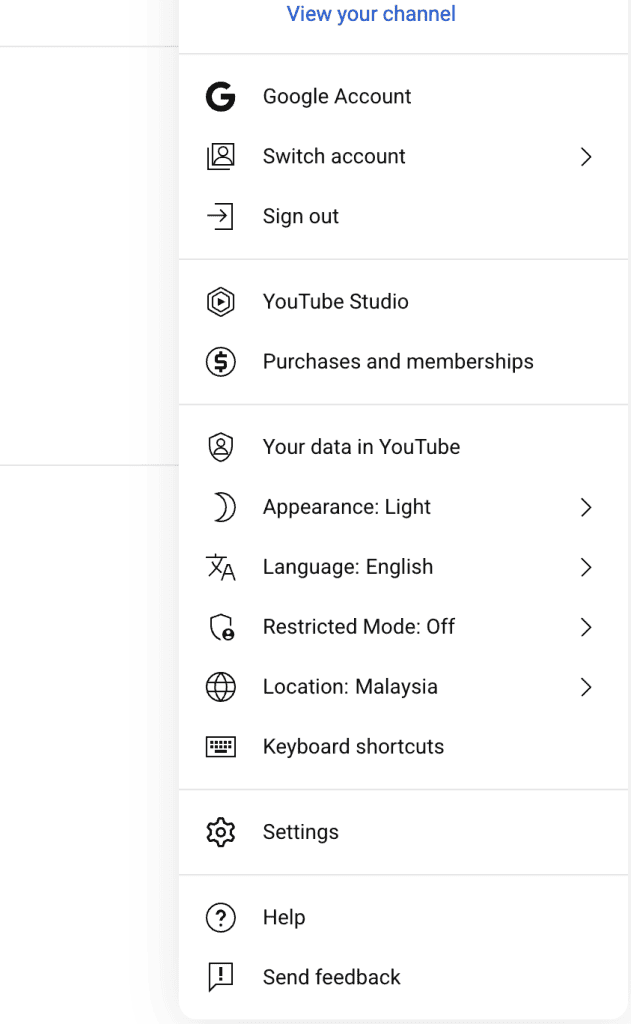
- Enter your YouTube account using a web browser (for example Google Chrome).
- Click the profile icon (account image) on the top right of YouTube.
- Scroll down and select “Limited Mode: Death” or “Limited Mode: Death”.
- Click the option, and turn on the switch button to “Activate Limited Mode” / “Turn on Limited Mode”.
This mode is not 100% perfect, but it is very helpful as the first step in protecting the appearance of children on YouTube.
If you have questions about this, you can refer YouTube Safety Mode Support Page.
Also read: 10 Best Youtube Channels for Children Learning & Playing
List of YouTube channels that you should block
Here are some lists of channels on YouTube that will appear in the cartoon but not too good for our children to watch. Among them:
- Pig peppa
- Doc mcstuffins
- Thomas the tank engine
- Superhero vs superhero
- Real Life Superhero
- Toys Ryan review
- Diana & Rome
- Nastya show
In conclusion, taking steps for inappropriate YouTube video blocks is one of the important efforts in ensuring that children are exposed to safe, educating, and appropriate content.
Using parental control settings, YouTube Kids applications and available filtration features, parents can create a safer and more positive display environment.
Don’t let the algorithm determine your child’s view, take control today!
Game Center
Game News
Review Film
Berita Olahraga
Lowongan Kerja
Berita Terkini
Berita Terbaru
Berita Teknologi
Seputar Teknologi
Berita Politik
Resep Masakan
Pendidikan
Berita Terkini
Berita Terkini
Berita Terkini
review anime
Gaming Center
Originally posted 2025-07-07 11:27:29.